


Global fulfillment and 3PL services for brands and retailers
Shipwire, a CEVA Logistics company, is where logistics meet world-class technology. With a network of global warehouses, we use advanced technology and operational expertise to optimize your order fulfillment while you focus on growing your business. Our goal is to help you thrive by providing top 3PL services to deliver your brand to the world.
get a quote















Supply Chain Employers Finalist
Fulfillment Made Easy
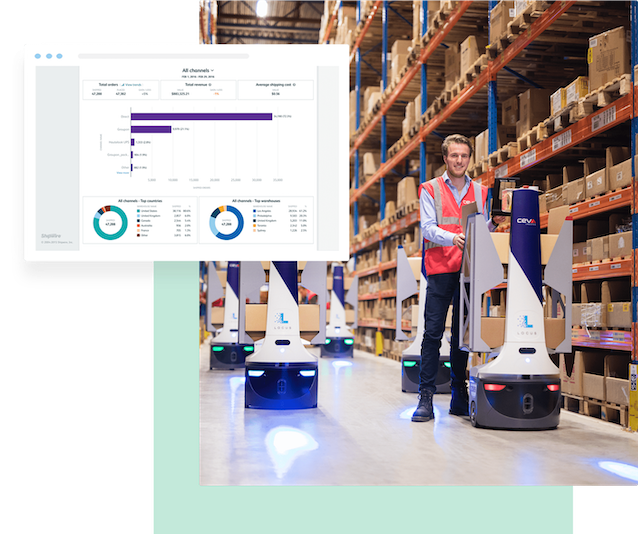
As a full-service 3PL provider, we fulfill ecommerce orders for direct-to-consumer, retail and dropship channels. Leverage advanced technology, including our cloud-based order and inventory management platform, real-time intelligence tools and customizable reporting, to help your business grow!
Learn moreHow it Works




How It Works
Deliver your brand to customers around the world!
Let us help you expand into new markets, reduce shipping costs and improve transit times. With a global warehouse network that has been operating for over 40 years, we know logistics.
service levels
Industry Leading 3PL Services

eCommerce Fulfillment
The Shipwire platform allows you to manage multiple shopping cart integrations to automate shipping for D2C ecommerce orders.

Warehousing
Shipwire’s global fulfillment center network spans across North America, Europe and Asia-Pacific, decreasing transit times, shipping costs, and enabling growth in new markets.

Marketplace Fulfillment
Shipwire integrates easily into popular marketplaces like Amazon and Target, exposing your stored products to a larger audience.

B2B Fulfillment
Connect with Retailers via EDI or API to fulfill your B2B wholesale orders from Shipwire warehouses, all while adhering to retail compliance.

Reverse Logistics
Return shipping optimization through Shipwire allows you to select cost effective return shipping methods.

Dropshipping
Access scalable integrations and fulfillment solutions to sell your product on major retail channels while ensuring retail compliance.

Transportation Management
Shipwire’s order and inventory technology automatically routes and rates orders to choose the optimal fulfillment location and carrier, based on settings that you control.

Cross-Border Solutions
Our operations experts are here to support your expansion into new markets and will guide you in using Shipwire to automate the complexities of international shipping.
200+ Ecommerce Connectors
Shipwire integrates with your existing shopping cart, marketplace and ERP software, providing one platform to support your global business.














Leading brands choose Shipwire

“When I’m thinking how to grow our business and I don’t have experience with the area we’re pursuing. I’m not thinking about how to built it myself, but rather who within my network has the right expertise and experience to help us succeed? That’s where Shipwire stepped in.”
“We chose Shipwire as a fulfillment partner because of their ability to handle the full complexity of our business in a single, user-friendly solution and customer support system.”

“We really value the partnership that we’ve built with Shipwire over time. It makes my life a lot easier knowing that everyone there has my back.”

“Wanted to share appreciation for the great job that the Harrisburg operations team has done during the holiday season. The team is great about responding to our requests and communicating in a timely manner. They are consistent with it comes to order processing and receiving service level agreements.”
“We look for partners that want to take care of customers just like we do. We are better at delivering a positive customer experience when we can control everything from order to shipment. We knew Shipwire would give us a high-quality and high-touch experience, and we chose them because we prioritize taking care of our customers and giving them the best experience possible.”









Our Latest Updates

Understanding and Managing Ecommerce Returns
Ever-increasing returns rates are crushing ecommerce sellers. How do you manage the tidal wave of returns and remain competitive in today’s market?

Shipwire Expands Access to European Markets Through Warehouse near Berlin, Germany
CEVA Logistics’ 290,000-square-foot fulfillment center near Berlin, Germany, has opened its doors to Shipwire customers, enabling additional access

Apparel Fulfillment Fundamentals for E-Commerce
The apparel industry is taking e-commerce by storm in terms of volume and revenue– how can sellers be competitive in this saturated market?

Expand your business with a custom commerce solution
We’ll work with you to design a solution that fits your needs and supports your growth.