

While each cart and marketplace has a unique integration with Shipwire, connecting each of these sales channels starts with enabling your connection in your Shipwire account. Follow these instructions to get started with your connection.
You can also see the Cart Troubleshooting Guide for assistance with common issues.
Adding a connection to your account (full setup)
These steps will guide you through the process of adding a shopping cart or marketplace connection during full account setup. After completing them, refer to cart-specific documentation in the sidebar for further integration information.
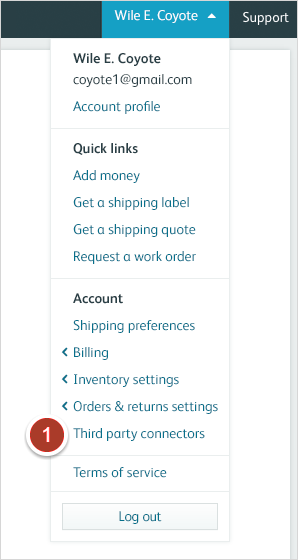
- Click on your account name to reveal a drop down menu, then click on “Third party connectors”.
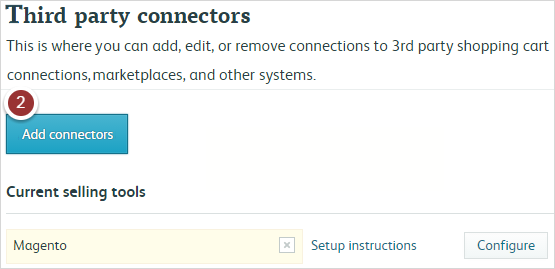
- Click Add Selling Tools.
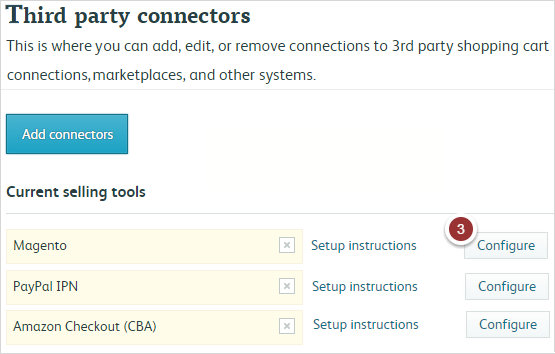
- Your chosen cart or marketplace will appear here and are highlighted in yellow Clicking Setup Instructions will direct you to detailed support documentation for each respective connection. Clicking Configure will take you through the process of enabling the connection within the Shipwire app.
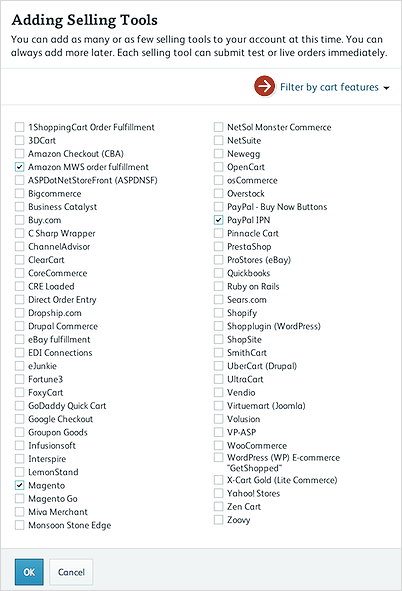
From this list, select which cart or marketplace you want to connect. This page allows you to filter connections by feature, which may be helpful in determining which cart best fits your needs.