

About
Yahoo! Store allows to small business owners to build online stores using Yahoo!’s tools. Integrating Shipwire with your Yahoo! Store enables order fulfillment automation.
| Integrated APIs | |
|---|---|
| Inventory: | |
| Order Entry | ✔ |
| Shipping Rates | |
| Tracking | ✔ |
Features
Order Entry – Orders are submitted to Shipwire from your e-commerce store automatically via our Order Entry API. Once your online store receives an order, Shipwire takes care of the rest.
Order Tracking – All tracking information related to completed shipments is pulled automatically, including expected delivery dates.
Configuration
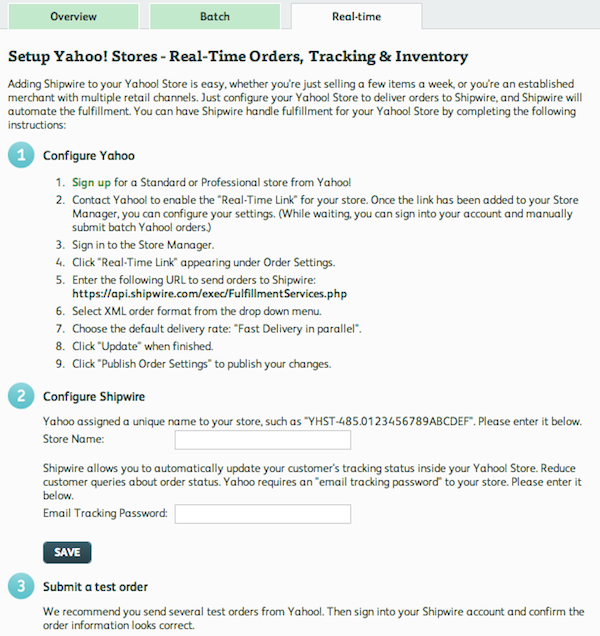
Within Yahoo account: Configure real-time delivery
- Sign up for a Standard or Professional store from Yahoo!.
- Contact Yahoo! to enable the Real-Time Link for your store. Once the link has been added to the Store Manager, configure your settings (while waiting, you can manually submit batch orders).
- Sign in to the Store Manager.
- Click Real-Time Link appearing under Order Settings.
- Enter the following URL to send orders to Shipwire: https://www.shipwire.com/exec/FulfillmentServices.php
- Select XML order format from the drop down menu.
- Set the delivery rate to be ‘one at a time’.
- Click Update when finished.
- Click Publish Order Settings to publish your changes.
Within Shipwire account: Automatic Yahoo! Fulfillment
First, find and connect your cart within your Shipwire account, then follow the steps below to configure it.
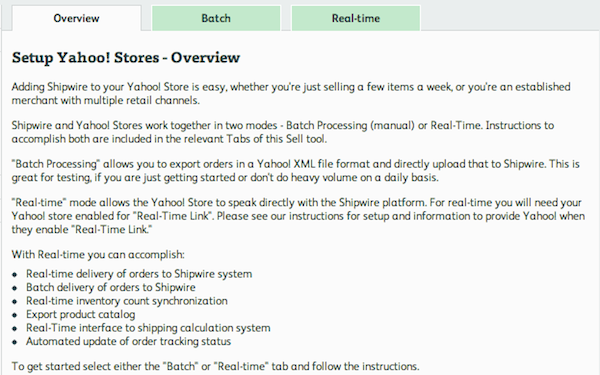
- There are instructions for either Batch mode or establishing the Real-Time Link.
- For the Real-Time Link, enter your Yahoo! Store Account Name and E-mail Tracking Password into the box provided, then click Save.
- We recommend you send some test orders from your Yahoo! Store and confirm that the order appears correctly in your Shipwire account.