


About
Connecting your Amazon Marketplace account to Shipwire is easy. NOTE: Your Amazon account must allow for API access (not available for individual accounts, you need a Pro account or better). If you are unsure of your account type, contact Amazon.
| Connection Information | |
|---|---|
| Who developed integration: | Shipwire |
| Support Contact: | Website |
| Status: | Clients actively using the connection, no known issues |
| Integrated APIs | |
| Inventory: | ✔ |
| Order Entry | ✔ |
| Shipping Rates | |
| Tracking | ✔ |
Features
Order Entry – Orders are submitted to Shipwire from your e-commerce store automatically via our Order Entry API. Once your online store receives an order, Shipwire takes care of the rest.
Order Tracking – All tracking information related to completed shipments is pulled automatically, including expected delivery dates.
Inventory Status – Your global warehouse levels will be sent to Amazon.
Configuration
In your Amazon account
Begin by following the steps below to enable Amazon SP API access. Not all Amazon Seller portals are configured, so if you use a portal that’s not available, Contact Us.
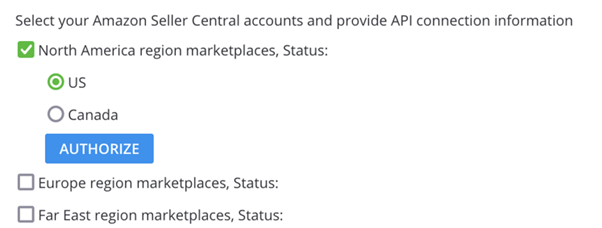
- Enable the Amazon SP sell tool under Add Connectors in the Third Party Connectors link in your Shipwire account drop down menu.
- Select the required Amazon Seller Portal region/country to enable.
- Log in to the relevant Amazon Seller Central portal per the region/country selected in step 2.
- Click Authorize button.
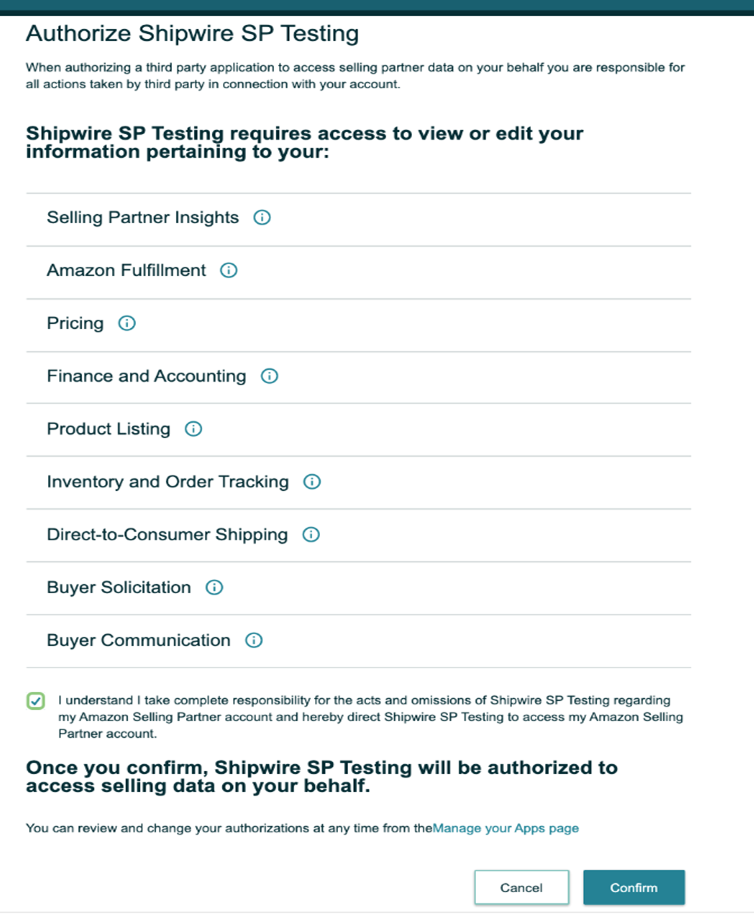
- The system will navigate to the Amazon seller central portal and display the below screen with the list of permissions requested by Shipwire to access the SP API. Provide consent and click Confirm button.
In your Shipwire account
Once you’ve completed the steps above, then follow these instructions to complete the connection.
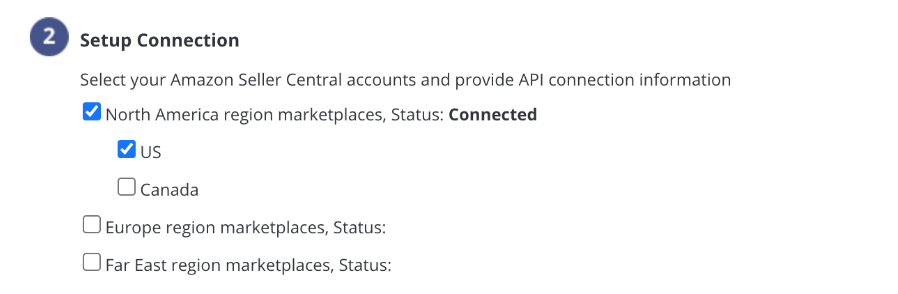
- Ensure Shipwire now displays the status as “Connected” as per screenshot below.
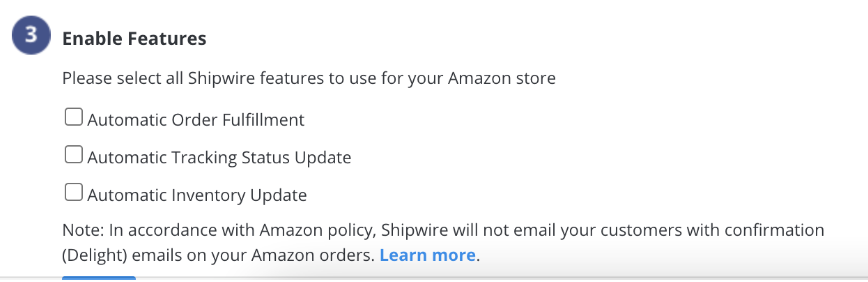
- Select the Shipwire API features you wish to use for your connection.
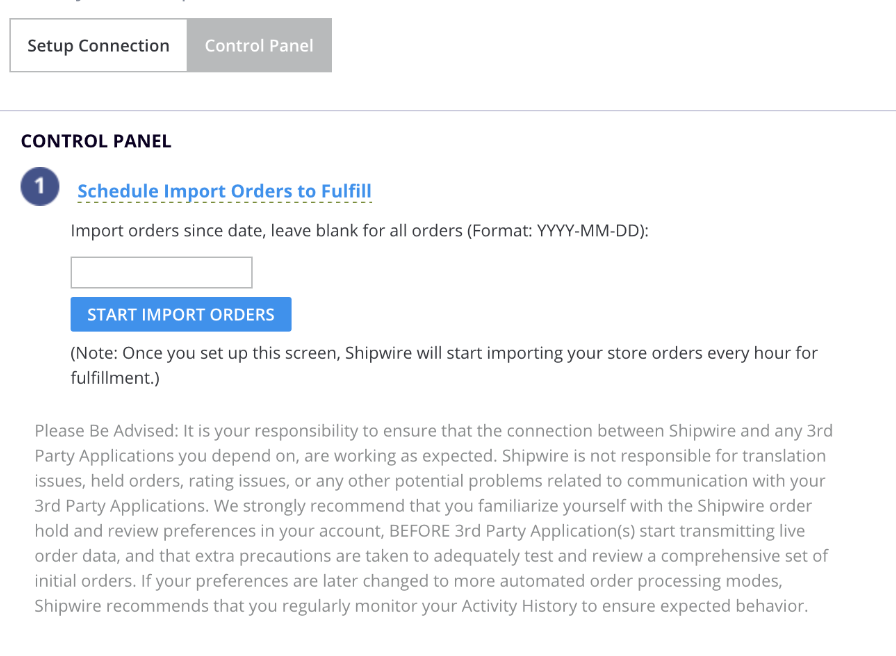
- Select Control Panel tab and schedule your order fulfilment.
FAQ
Q.Why does “REDACTED” show for name, address, phone, email on some of my older Amazon orders in Shipwire?
A.Amazon requires that all apps comply with their customer data protection guidelines. One of the requirements is to remove personally identifiable information (PII) from orders we have imported from them. In order to comply with this requirement, we replace this PII with “REDACTED” at 30 days after the order has been shipped. If you need this information on older orders, please retrieve it from your Amazon account.
Q.My orders from Amazon suddenly stopped importing to Shipwire. What happened?
A.This usually occurs when the token expires. The Merchant can reauthorize the token using the same steps as mentioned in Step 2 – Setup Connection.
Q.How can I use Shipwire to fulfil some of my products I sell on Amazon, but not all of them?
A.Simply load into Shipwire only the products that you would like us to fulfil. Then edit the setting for “Sell tool orders w/ unknown products” in your Shipping Preferences. Here, you can set orders with unknown products to be rejected, held, or shipped with just the products that Shipwire recognizes.
Q.How are Amazon’s shipping methods mapped to Shipwire service types?
A.Amazon shipping methods will map as provided below:
Amazon shipping level => Shipwire service type
Standard => GD
Expedited => 2D
SecondDay => 2D
NextDay => 1D
Express => 1D
Q.How often will my inventory sync to Amazon?
A.Your inventory will be synced with Amazon once per hour.